Codes and regulations
Code No. 1: Guarding the gate
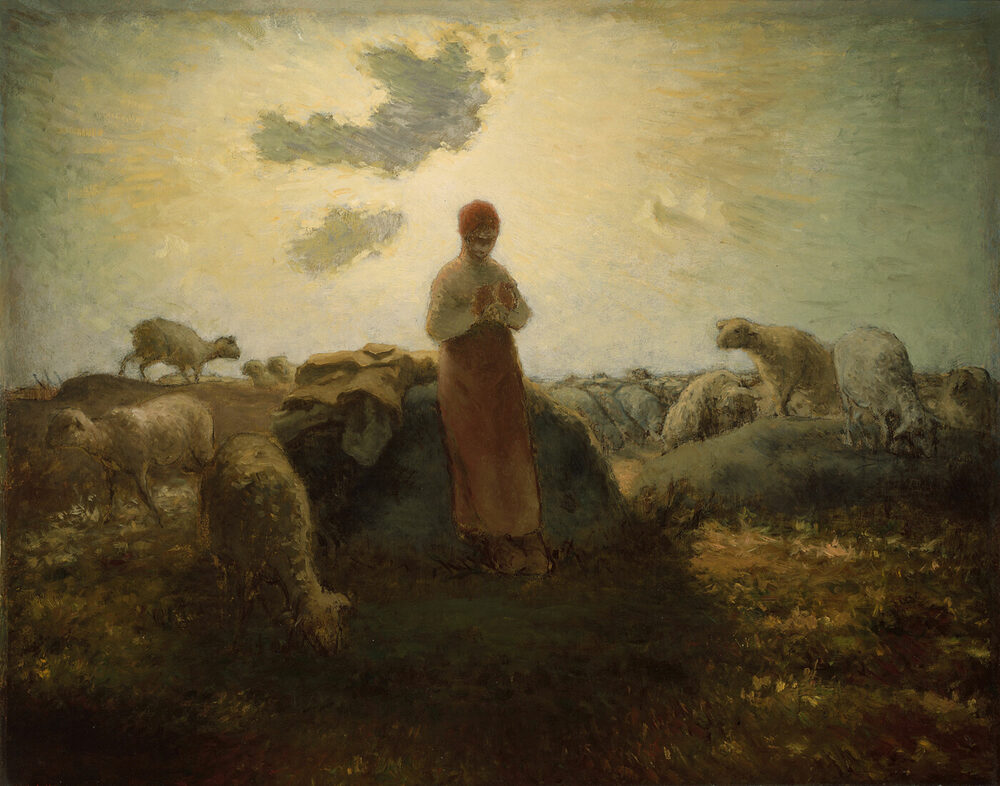
A shepherd that does not watch the way is not a shepherd, he is scenery. This is the counsel we give a household, so that what the world puts out on the air does not come in at the window. We do not command it, but we do press it — and we would rather a citizen heard the reason than simply obeyed the order.
Why a code about this
We are not of the world. That is not a mood at us; it is the plain statement of who chose us and what we are set apart for. And the world does not come in by invitation. It comes in through the walls we did not know were thin, to people we love, at hours when we are asleep.
So the question is not whether a household ought to guard its door. Every honest man has a lock, and no one calls him a coward for having one. The question is what the lock is made of — and whether it is on the right door.
“Love not the world, neither the things that are in the world. If any man love the world, the love of the Father is not in him.”
1 John 2:15
“For all that is in the world, the lust of the flesh, and the lust of the eyes, and the pride of life, is not of the Father, but is of the world.”
1 John 2:16
“Keep thy heart with all diligence; for out of it are the issues of life.”
Proverbs 4:23
“Flee also youthful lusts: but follow righteousness, faith, charity, peace, with them that call on the Lord out of a pure heart.”
2 Timothy 2:22
So we counsel every device in the household to have a content filter set at the router, and to have it checked afterwards. This is not a law and it is not a matter of taste either; it is what we believe to be right, and we set it down so that any man who thinks otherwise may answer us from the Word.
What CleanBrowsing is
CleanBrowsing is a filtering DNS resolver. When a device asks it for the address of a website, it looks the name up in its own list and decides what to answer. For a blocked name it does not return an address at all, and the request simply never arrives. There is no account to create, nothing to install per device, and no logging of what our people read — the resolver answers the question it is asked and forgets it.
Setting it on the router is the important part. One entry at the router covers every device in the house at once — the laptops, the phones, the tablets, the television, the games console, and the things that were never asked about. Setting it on a single computer leaves every other door open, which is the same as not having set it.
“Abstain from all appearance of evil.”
1 Thessalonians 5:22
“Wherefore lay apart all filthiness and superfluity of naughtiness, and receive with meekness, the engrafted word, which is able to save your souls.”
James 1:21
Which filter to choose
There are three free filters, and the difference between them is not a matter of degree — it is a matter of what else they take with them. Take the family filter. It blocks adult content outright, and it also blocks the mixed-content sites, the proxy and VPN domains used to climb over a filter, and the malicious and phishing domains. It forces SafeSearch on the search engines. It costs nothing and it does the most.
| Filter | Primary | Secondary | What it stops |
|---|---|---|---|
| Family | 185.228.168.168 | 185.228.169.168 | Adult content, mixed content, VPN and proxy domains, malware, phishing; SafeSearch enforced |
| Adult | 185.228.168.10 | 185.228.169.11 | Adult content, malware, phishing; leaves VPN and mixed-content sites alone |
| Security | 185.228.168.9 | 185.228.169.9 | Malware, phishing and spam only — no adult filtering whatsoever |
The security filter is listed only so that it be understood what it is not. It will not do this work.
Setting it on the router
Open the router’s admin page — almost always at 192.168.1.1 or
192.168.0.1 — and sign in with the credentials printed on the router
or set by whoever installed it. Find the DNS settings, which usually sit under WAN,
Internet, or DHCP. Turn automatic DNS off, remove whatever is there, and enter the two
addresses above. Save, and then restart the router so that its cache is cleared and every
query begins at the new resolver.
If the network carries IPv6, it must be filtered too, or it becomes the way round the
fence. Enter the family filter’s IPv6 addresses:
2a0d:2a00:1:: and 2a0d:2a00:2::. A household that filters
IPv4 and leaves IPv6 open has not filtered anything.
On the devices that leave the house
The router covers the house. It does not cover a phone on a bar’s wifi, a tablet on a friend’s network, or anything at all once a cellular connection is used instead. For those, the filter has to be set on the device.
Android
Android 9 and later has a built-in slot for exactly this. Go to
Settings → Network & internet → Private DNS, choose the private
DNS provider hostname option, and enter
family-filter-dns.cleanbrowsing.org. That is the whole of it — no app,
no permission, nothing to maintain.
iPhone and iPad
Go to Settings → Wi-Fi, tap the i beside the network, then Configure DNS → Manual, delete the entries that are there, and add the two addresses. Note that this applies to one network only; it must be repeated for each network the device joins.
Windows
Open Settings, go to Network & internet, select the connection, and under
DNS server assignment choose Edit, then Manual. Turn IPv4 on, enter
185.228.168.168 as the preferred address, add
185.228.169.168 as the alternate, and save.
macOS and Linux
On macOS the addresses go in under System Settings → Network → the
connection → Details → DNS. On Linux, the nameservers are set in
/etc/resolv.conf, or, where systemd-resolved is in use, in
/etc/systemd/resolved.conf — in which case add the hostname
alongside the addresses and set DNSOverTLS=yes, so that the queries are
encrypted as well as filtered.
Check that it is actually working
A filter that was never applied is the commonest kind, and it is usually found by the
person it was supposed to protect. Test it rather than assuming it. Open the provider’s
own DNS leak test at cleanbrowsing.org/dnsleaktest
and run it: the resolvers it reports must be CleanBrowsing addresses. Then try to reach a
site that the filter blocks, and confirm that it does not come up. A leak test that
reports anything other than 185.228.168.x or 185.228.169.x
means the traffic is going somewhere else, and the setting has not taken.
“And if he shall come in the second watch, or come in the third watch, and find them so, blessed are those servants.”
Luke 12:38
“Watch ye therefore, and pray always, that ye may be accounted worthy to escape all these things that shall come to pass, and to stand before the Son of man.”
Luke 21:36
What the fence does not do
We will not oversell this. A filter is a fence, and a fence is not a root — it does not change the heart of the man standing behind it, and the man who wants through it will look for a way round, because there is always a way round. That is exactly why the Word is not optional here. The filter removes the occasion; it cannot give the strength to refuse it. A household that has a filter and no Bible has bought a delay.
It also does not make a man a citizen. Nothing does that but the new birth, and we have said so plainly on Our Citizens. The filter is housekeeping. It is worth doing — the wise built his house and then dug deeper — but it is not the foundation, and it is not a substitute for the Word, the prayer, and the look to the Shepherd that he has already given to those who are his.
“All that the Father giveth me shall come to me; and him that cometh to me I will in no wise cast out. For I came down from heaven, not to do mine own will, but the will of him that sent me.”
John 6:37–38
“My little children, let us not love in word, neither in tongue; but in deed and in truth.”
1 John 3:18
So let the filter be set, and let it be checked. But let the house be built on the Word first, and let nothing on this page be taken for a root of righteousness.